
Surveys
Viewing responses
View responses in Confetti or export them as CSV.
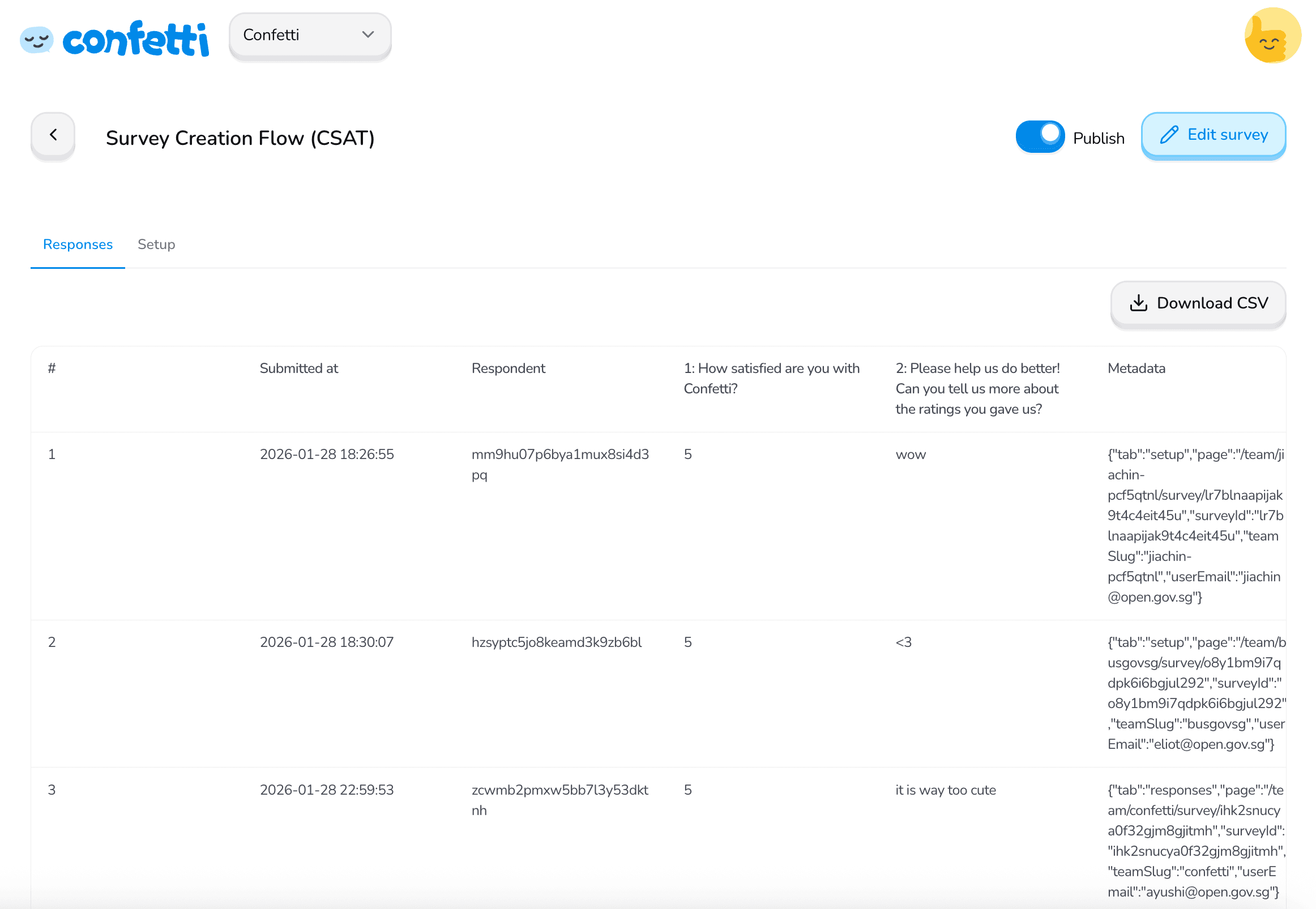
In the Survey Responses tab
View responses directly in the Responses tab on Confetti.
As a CSV
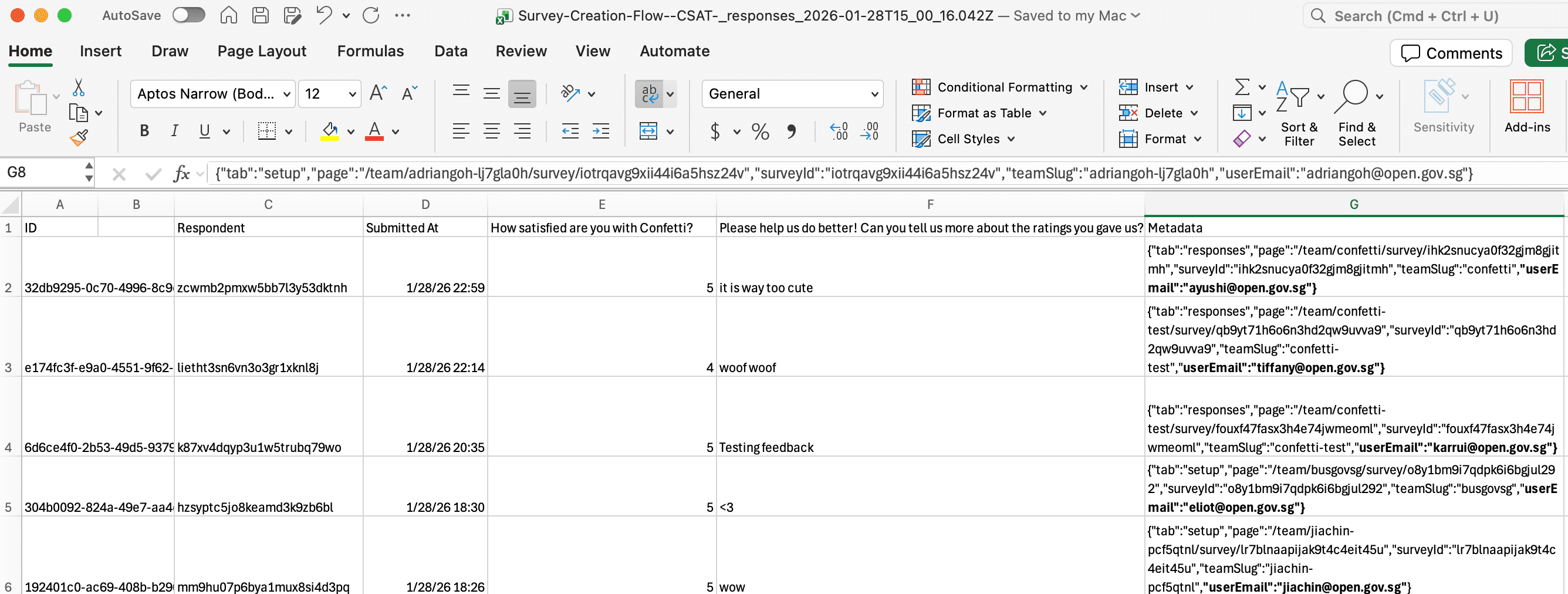
Export responses with the Download CSV button.
Understanding the Metadata column
The exported CSV may include a column called Metadata. This stores additional context about each response in a structured (JSON) format. Depending on your setup, metadata can contain:
- The page the user was on when submitting the survey
- The respondent's email or identifier
- The survey or team ID
- When the user dismissed the survey
- Query parameters from the survey link (e.g. campaign or source)
Work with your engineer to configure what values to store within Confetti. Take note:
- Metadata must be in a string format.
- Metadata cannot be longer than 1500 characters.
Extracting values from the Metadata column (Excel)
You can extract specific values (e.g. email, page) from the Metadata column using Excel formulas.
User email
=TEXTBEFORE(TEXTAFTER(A2,"""userEmail"":"""),"""")Page the user was on when they submitted the survey
=TEXTBEFORE(TEXTAFTER(A2,"""page"":"""),"""")Was this page helpful?